Note: This blog post outlines upcoming changes to Google Currents for Workspace users. For information on the previous deprecation of Google+ for users with personal Google accounts, please
see this post .
What's Changing
We are nearing the end of this transition. Beginning July 5, 2023, Currents will no longer be available. Workspace administrators can
export Currents data using Takeout before August 8, 2023. Beginning August 8th, Currents data will no longer be available for download.
Although we are saying goodbye to Currents, we continue to invest in new features for
Google Chat , so teams can connect and collaborate with a shared sense of belonging. Over the last year, we've delivered features designed to support community engagement at scale, and will continue to deliver more. Here is a summary of the features with additional details below:
This month, we’re enabling
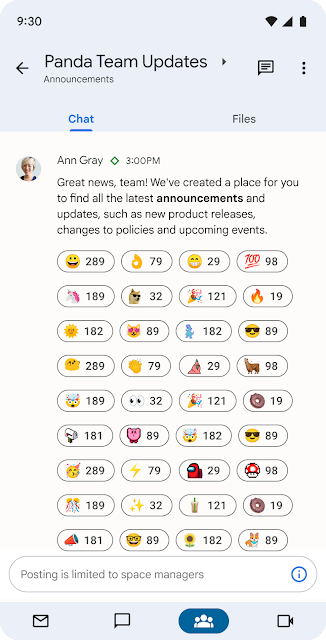
new ways for organizations to share information across the enterprise with
announcements in Google Chat . This gives admin controls to limit permissions for posting in a space, while enabling all members to read and react, helping ensure that important updates stay visible and relevant. Later this year, we plan to simplify membership management by integrating Google Groups with spaces in Chat, enable post-level metrics for announcements, and provide tools for Workspace administrators to manage spaces across their domain.
Announcements in Google Chat
Managing space membership with Google Groups
We’ve already rolled out
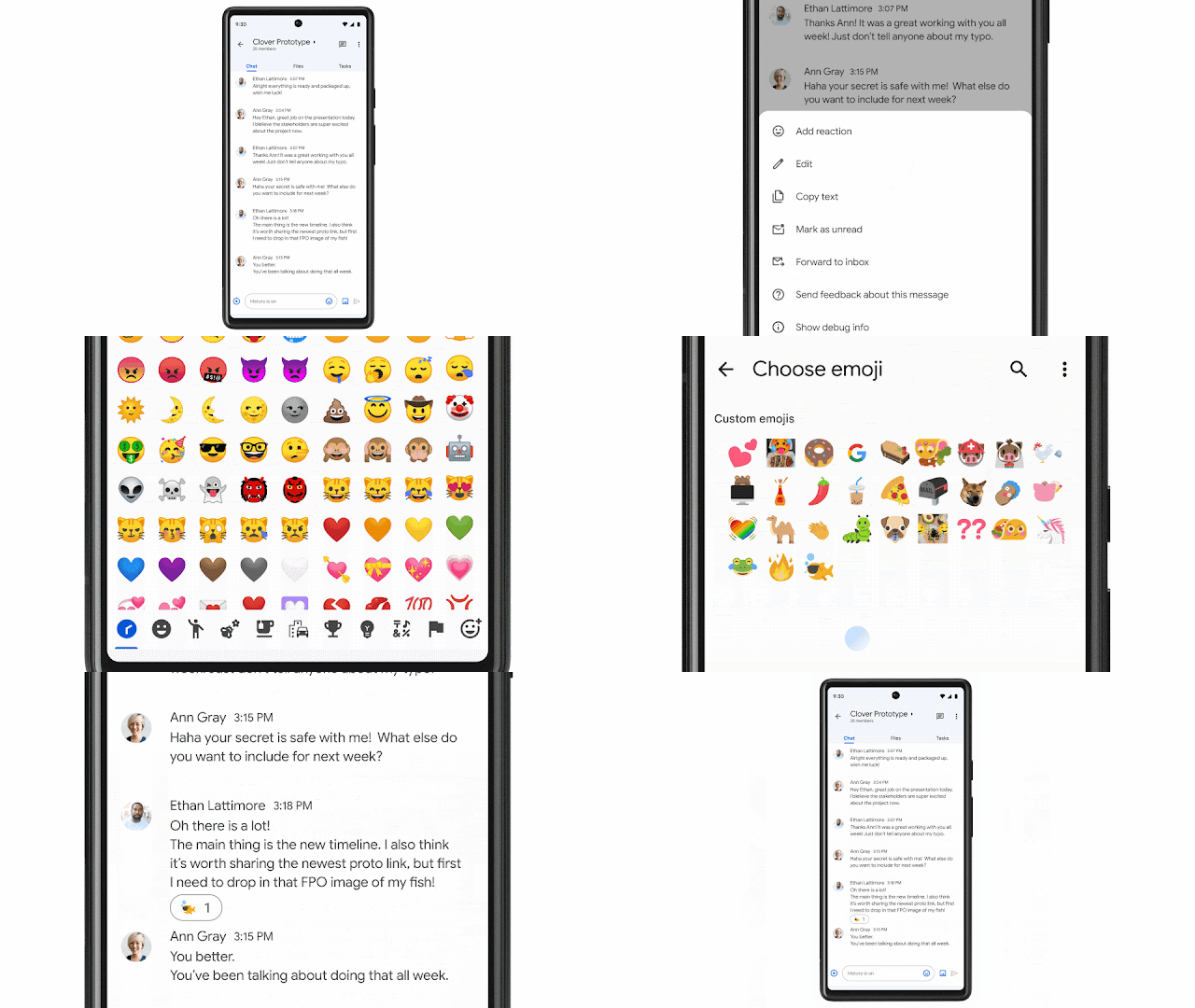
new ways to make conversations more expressive and engaging such as
in-line threading to enable rich exploration of a specific topic without overtaking the main conversation and
custom emojis to enable fun, personal expression.
In-line threaded conversations
Discover and join communities with up to 8,000 members
We’ve also made it easier for individuals to
discover and join communities of shared interest . By
searching in Gmail , users can explore a directory of available spaces covering topics of personal or professional interest such as gardening, pets, career development, fitness, cultural identity, and more, with the ability to
invite others to join via link. Last year, we increased
the size of communities supported by spaces in Chat to 8,000 members , and we are working to scale this in a meaningful way later this year.
A directory of spaces in Google Chat for users to join.
Our partner community is extending the power of Chat through
integrations with essential third-party apps such as
Jira, GitHub, Asana, PagerDuty ,
Zendesk and Salesforce . Many organizations have
built custom workflow apps using low-code and no-code tools , and we anticipate that this number will continue to grow with the GA releases of the Chat API and AppSheet’s Chat app building capabilities later this year.
For teams to thrive in this rapidly changing era of hybrid work, it’s essential to build authentic personal connections and a strong sense of belonging, no matter when or where individuals work. We will continue to make Google Chat the best option for Workspace customers seeking to build a community and culture for hybrid teams, with much more to come later this year.
Who's impacted Admins and end users
Why it’s important The transition from Currents to spaces in Google Chat removes a separate, siloed destination and provides organizations with a modern, enterprise-grade experience that reflects how the world is working today. Google Workspace customers use Google Chat to communicate about projects, share organizational updates, and build community.
Recommended action
Availability Spaces in Google Chat are available to all Google Workspace customers and users with personal Google Accounts.
Resources

.png)

.png)
.png)


